Understand the Shipment Hub
Find, search and open the shipments you can access from the Hub.
- ForEveryone who works on shipments
- Task timeAbout 3 min
- Video1:26
- Last checked2026-10-22
Overview
The Hub lists the shipments you can access in your Company, with their status, payments and tracking at a glance.
What you'll learn
- Read the Shipments list and its columns
- Search by shipment name or bill of lading number
- Filter, sort and switch lists
- Preview and open a shipment
Before you begin
- A Company membership, or access to a shipment Create Your First Company
Step-by-step guide
Read the list
Your Shipments page lists every shipment you can access in your Company. Each row shows the shipment name with its bill of lading number underneath.
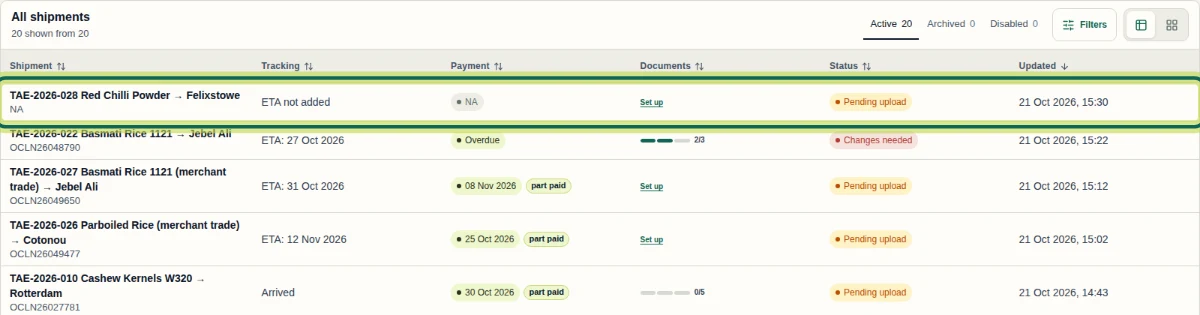
Step 1 Understand the columns
Tracking shows the ETA you have added, or Arrived. Payment shows the next due date and whether it is part paid, paid or overdue. Documents shows how many expected documents are uploaded. Status shows what needs attention next, such as Pending upload or Changes needed.

Step 2 Switch lists and sort
Use the Active, Archived and Disabled tabs to switch lists. Select any column heading to sort.

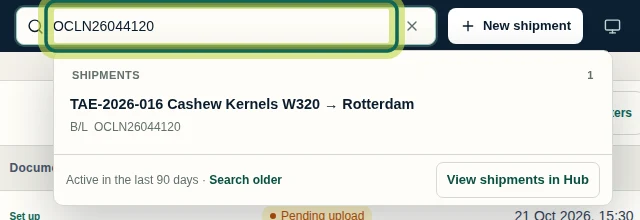
Step 3 Search
Type a shipment name or bill of lading number in the search at the top. Matching shipments appear as you type.
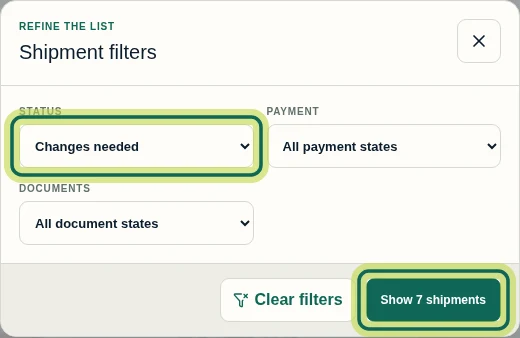
Step 4 Filter the list
Select Filters, choose a status, payment state or document state, then select Show shipments. Open Filters again and select Clear filters to see everything.
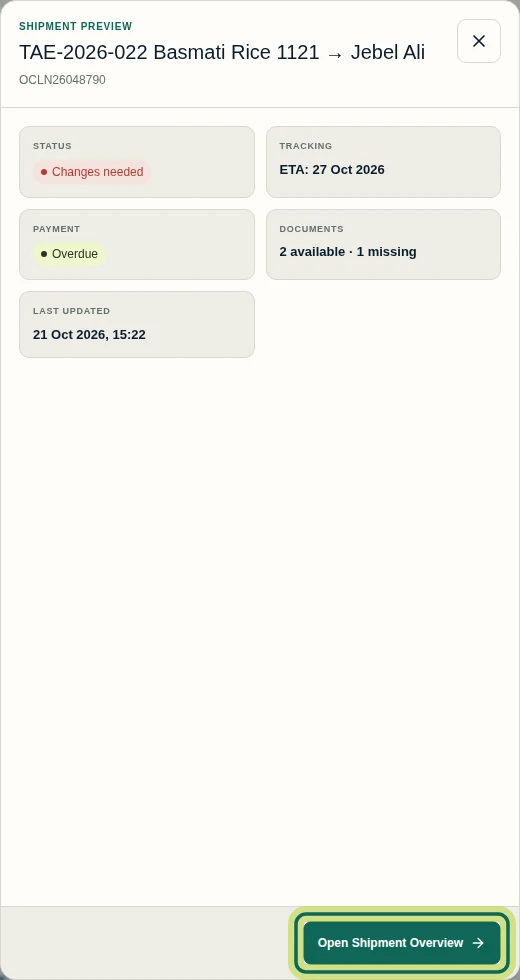
Step 5 Preview a shipment
In Cards view, select Preview on a card for a quick summary of status, tracking, payment and documents. Select Open Shipment Overview to open the shipment.
Step 6
Expected result
You can find any shipment you have access to, see its tracking, payment, documents and status at a glance, and open it.
Common issues
- A shipment I expect is missing.
- Check the Archived and Disabled tabs, clear any filters, and make sure you have been given access to that shipment.
- Search finds nothing.
- Search covers shipments active in the last 90 days first; select Search older in the results to look further back.
Next tutorial
Was this helpful?
If something did not work as described, tell us and we will help.