Create Your First Company
Set up your Company in Shiplete so you can create shipments and invite your team.
- ForFounders and administrators setting up Shiplete for their business
- Task timeAbout 2 min
- Video0:59
- Last checked2026-10-22
Overview
Create a Company if you are the first person from your business to use Shiplete. If a colleague already uses Shiplete, ask them for an invitation instead; you do not need to create another Company.
What you'll learn
- Decide whether to create or join a Company
- Create the Company
- Find your Company after it is created
- Where to go next
Before you begin
- A verified, signed-in Shiplete account Sign Up and Verify Your Email
- You are not already a member of a Company
Step-by-step guide
Open Create Company
After you sign in for the first time, your Shipments page is empty. Select Create Company.
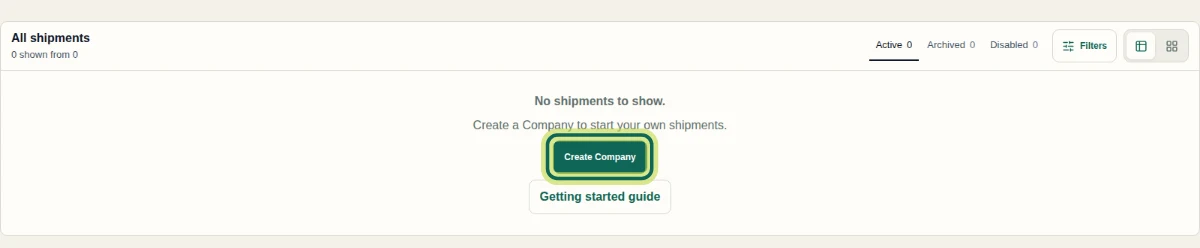
Step 1 Choose to create a Company
If a colleague has invited you, open the invitation link you received instead; you do not need a new Company. To set up your own, select Create company.
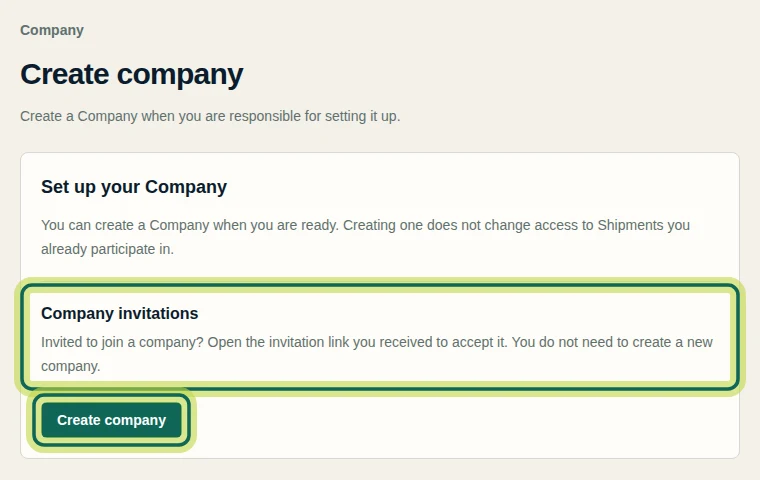
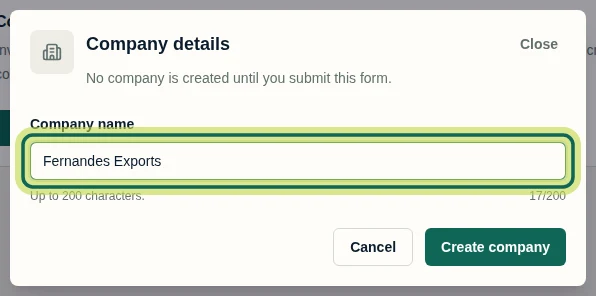
Step 2 Enter your Company name
In Company details, enter your Company name (up to 200 characters). Nothing is created until you submit the form.
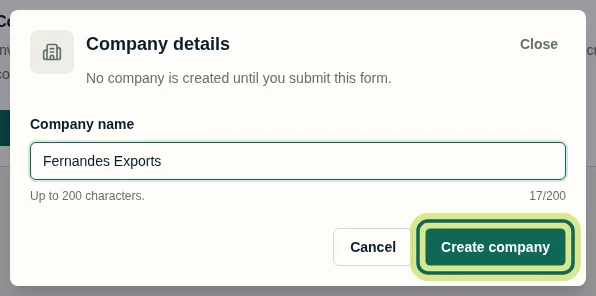
Step 3 Create the Company
Select Create company.
Step 4 Check your Company
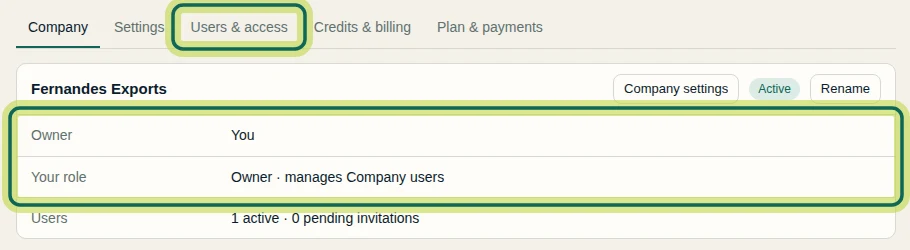
Your Company page opens. You are the Owner. Use Users & access to invite your team when you are ready. To create shipments, your Company needs credits and an active subscription, which adds credits every month; the available options are under Plan & payments.
Step 5 Go to Shipments
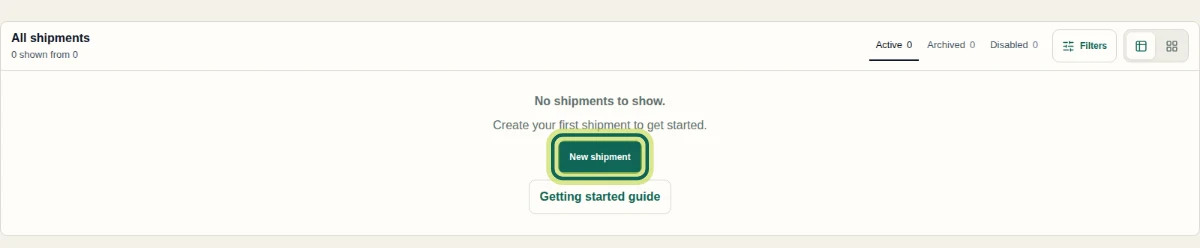
On Shipments, select New shipment to create your first shipment.
Step 6
Expected result
Your Company is active and you are its Owner. Your Shipments page now offers New shipment.
Common issues
- Create Company is not offered.
- You may already belong to a Company. Open Company from the menu, or accept your pending invitation.
- A colleague already uses Shiplete.
- Ask them to invite you and follow Join an Existing Company Through an Invitation.
- I can't create a shipment.
- Creating shipments uses credits and needs an active subscription for your Company. Open Company, select Plan & payments, then See plans and prices to see the available options.
Next tutorial
Was this helpful?
If something did not work as described, tell us and we will help.