Join an Existing Company Through an Invitation
Accept a Company invitation from a colleague so you work in the same Company.
- ForPeople invited by a colleague's Company
- Task timeAbout 3 min
- Video0:57
- Last checked2026-10-22
Overview
A Company Owner or Admin creates your invitation in Users & access and shares its link and 4-digit access code with you; Shiplete does not email it. Joining a Company does not by itself give you access to every shipment.
What you'll learn
- Open a Company invitation
- Accept it with your account
- Understand Company membership and shipment access
Before you begin
- A verified Shiplete account Sign Up and Verify Your Email
- The invitation link, and the access code if one was shared with you
Step-by-step guide
Your colleague invites you
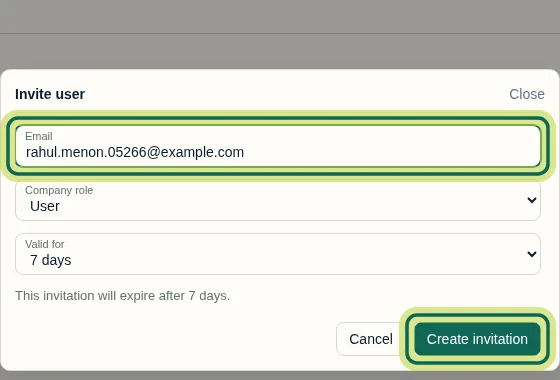
A Company Owner or Admin opens Users & access, selects Invite user, enters your email, chooses your Company role and how long the invitation is Valid for, then selects Create invitation.
Step 1 Get the link and code
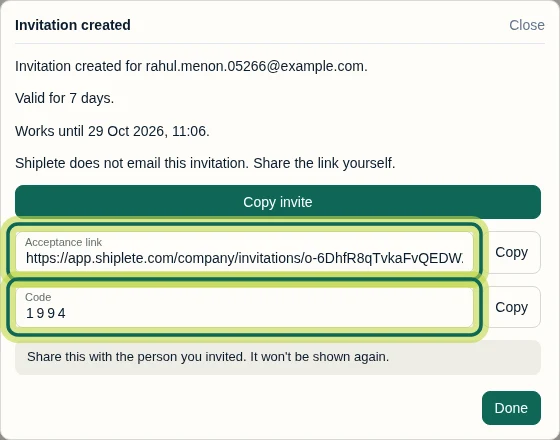
Shiplete does not email the invitation. Your colleague shares the Acceptance link and the 4-digit Code with you. They are shown only once.
Step 2 Open the link
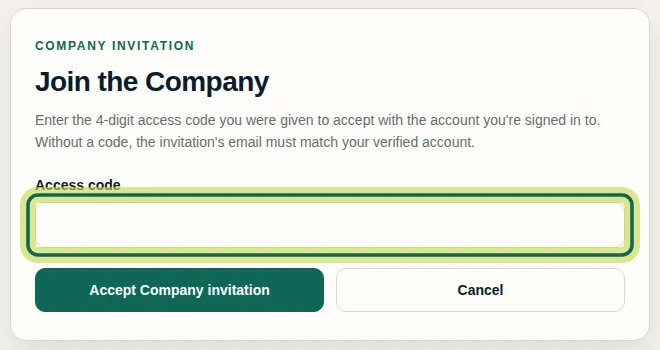
Sign in to your own Shiplete account, then open the link. Join the Company asks for the access code.
Step 3 Accept the invitation
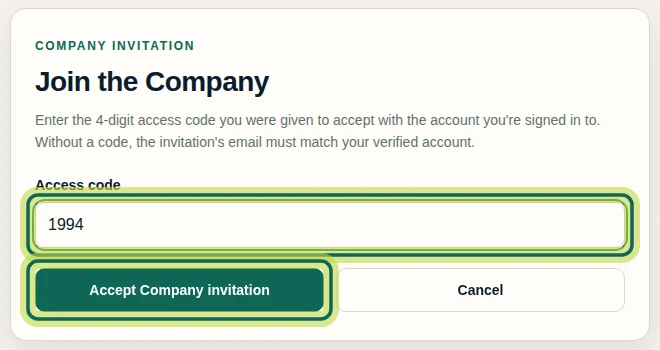
Enter the 4-digit code and select Accept Company invitation.
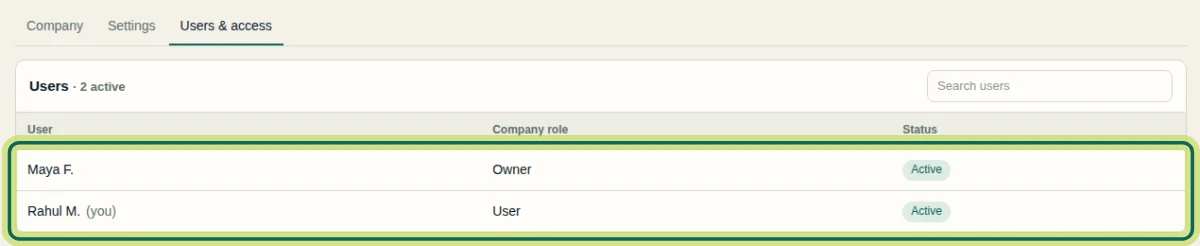
Step 4 You're in the Company
You are now a member of the Company and can see its users. Joining does not give you access to every shipment; ask your Company admin to add you to the shipments you need.
Step 5
Expected result
You are a member of the Company and can see its users. Ask your Company admin to add you to the shipments you need.
Common issues
- The invitation says it has expired or was already used.
- Ask the person who invited you for a new invitation.
- You see no shipments after joining.
- Company membership does not include shipment access. Ask a colleague to add you to the shipment.
Next tutorial
Was this helpful?
If something did not work as described, tell us and we will help.